
Knowledge Base
Accessing Your GPTWeb Site
Hi, Welcome back! Accessing your GPTWeb site is straightforward. Your site is hosted at a unique URL based on your tenant slug, and your admin panel is built right into the experience.
app.gptweb.com/site/YOUR-SLUG
Site URL Format
Cmd + Ctrl + A
Admin Shortcut (Mac)
Ctrl + Alt + A
Admin Shortcut (Win)
Here's how to get to your site and admin panel: 1. Visit your site at
Open the Admin Panel using the keyboard shortcut for your OS (see above)
Log in with your admin email and password The admin panel appears as a modal overlay on top of the chat interface — you'll see the chat dimmed in the background. From there you can configure everything from branding to campaigns to analytics. If you'd like to Get Started with more configuration steps, or want to explore Key Features, those are great next stops!
https://app.gptweb.com/site/YOUR-SLUG (replace YOUR-SLUG with your unique identifier, e.g. {{visitor.company}})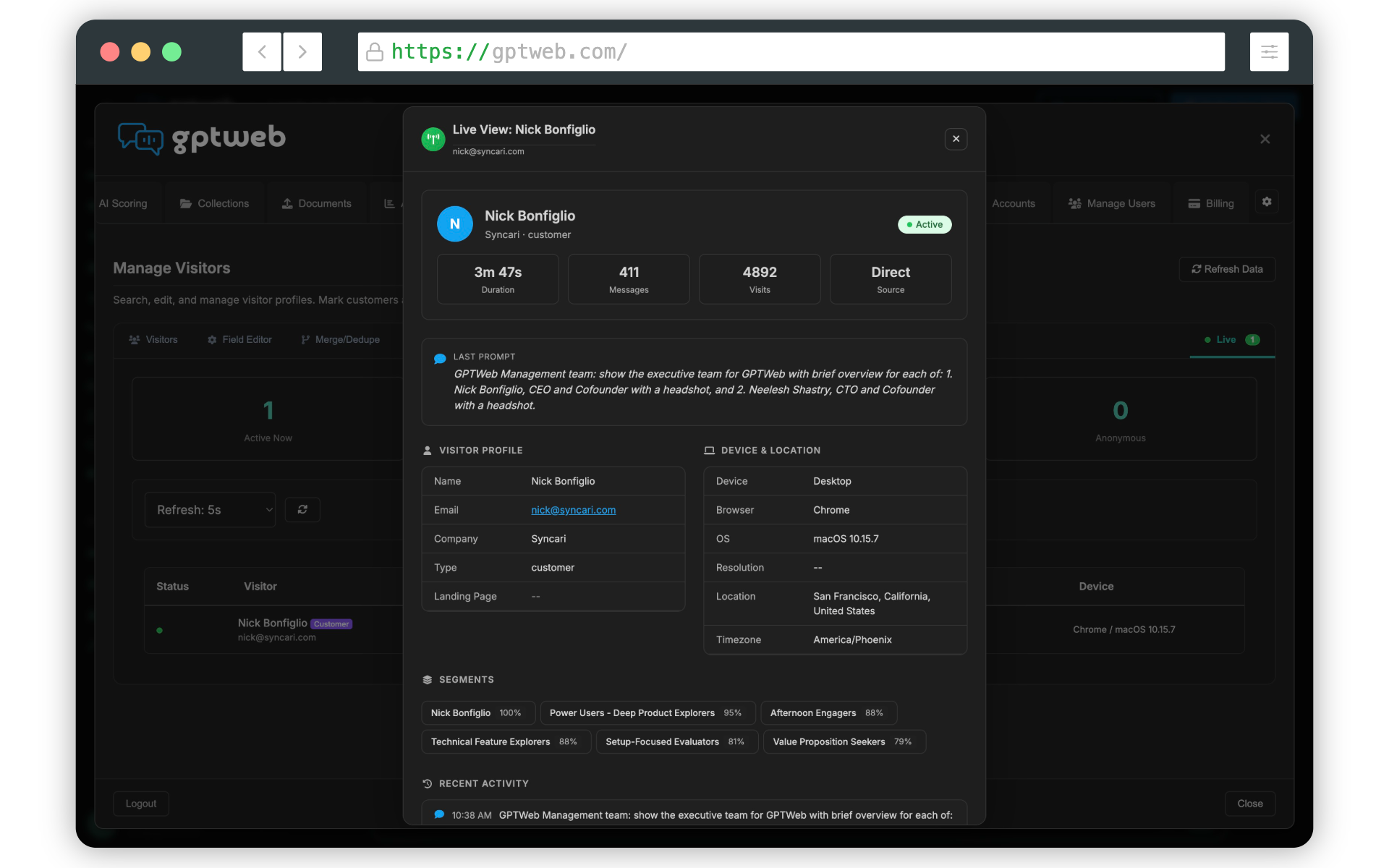
Once inside, you can also navigate to Manage Visitors to see live traffic — who is on your site right now, how they're engaging, and what prompts they're submitting in real time. GPTWeb is the future of engagement, websites, and marketing automation combined — built for the AI era, built for now.