
Knowledge Base
From Signup to Live Site — About an Hour
Great question! The short answer is: about an hour to go from zero to a fully configured, live GPTWeb site. That includes signup, knowledge base setup, branding, and your first campaign. Here is how it breaks down across the key phases.
~5 min
Account Signup
~10 min
Admin Panel Setup
~20 min
Knowledge Base & Crawler
~15 min
Branding & Customization
~10 min
First Campaign Live
15–60 min
Custom Domain (DNS)
Phase 1 — Signup (5 minutes): Head to gptweb.com, click Start Free Trial, fill in your name, email, company, and optional phone number. No credit card required. You will receive a verification email, click Set Your Password, and your GPTWeb site is immediately live at a unique URL. Done — you have a running site in under five minutes. Phase 2 — Admin Panel (2 minutes): Access your Admin Panel using
Cmd+Ctrl+A on Mac or Ctrl+Alt+A on Windows. Log in with your credentials. This is your command center for everything — agents, campaigns, knowledge base, CRM sync, branding, and analytics. Phase 3 — Knowledge Base via RAG Crawler (~20 minutes): The fastest path to a content-rich site is GPTWeb's RAG Crawler. Point it at your existing website and it will automatically crawl, chunk, and index your content into the Knowledge Base — converting your static site into a conversational lead-generation experience without manual uploads. For organizations like your organization, this means your existing product content, documentation, and resources are immediately available for visitor conversations.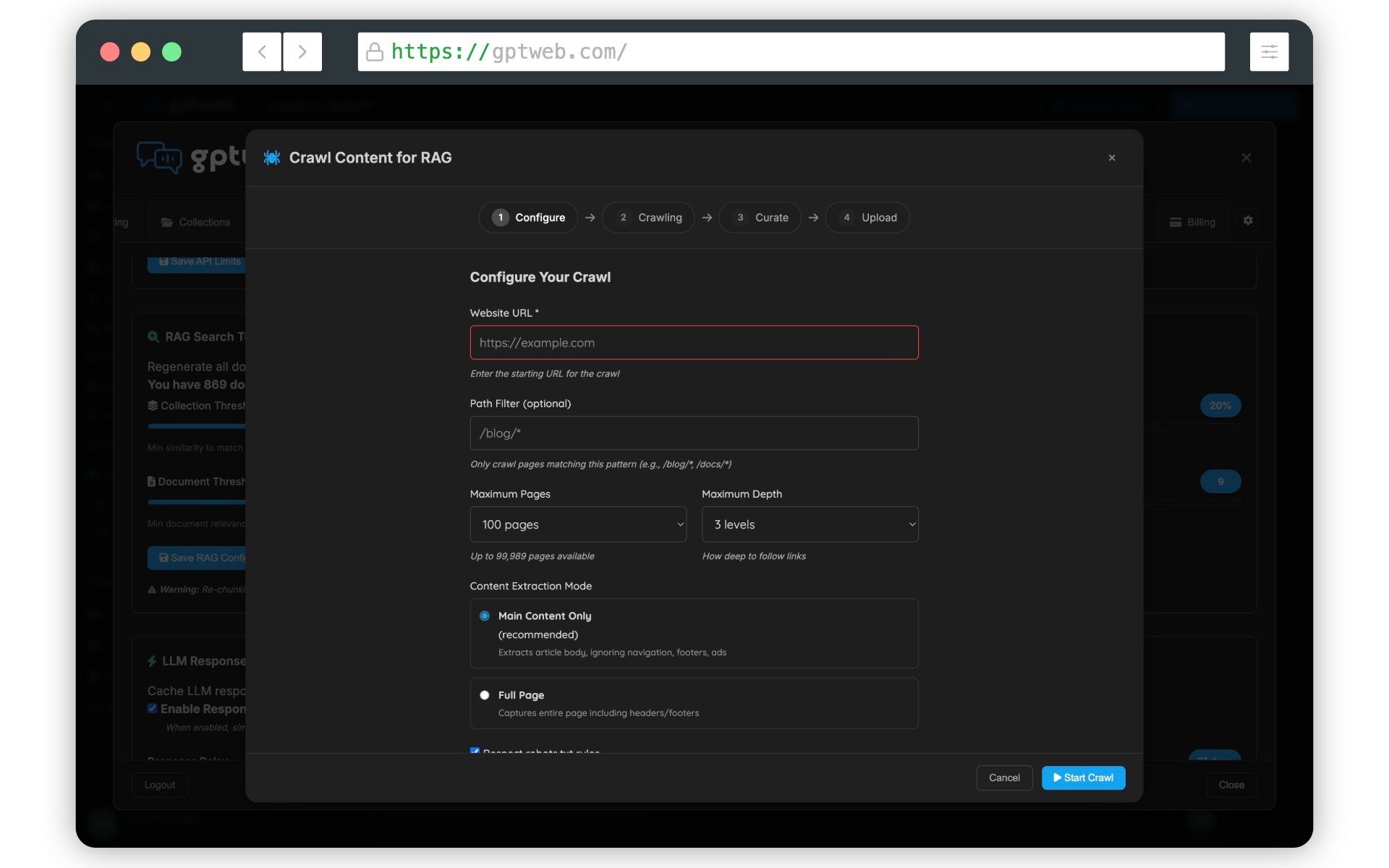
Phase 4 — Branding (~15 minutes): GPTWeb's no-code branding system lets you configure colors, typography, layouts, and visual themes — producing over 10^110 unique combinations from the Quick Setup alone. No developer needed. Your site looks like your brand from day one. Phase 5 — First Campaign (~10 minutes): With your knowledge base live and branding set, launch your first AI Campaign — a time-on-site toaster, a webinar signup modal, or a progressive profiling sequence. SmartGoals handle the sequencing automatically. Phase 6 — Custom Domain (15–60 min DNS propagation): Add your own domain (e.g.,
ai.yourcompany.com) via the Admin Panel with a simple CNAME record. SSL is auto-provisioned and managed. DNS typically propagates in 15–60 minutes, with full SSL in up to 24 hours. Your visitors see your brand domain, not a third-party URL. For Getting Started step-by-step guidance, or to kick things off right now, [](gptweb://modal/trial) — no credit card, no friction.GPTWeb is the future of engagement, websites, and marketing automation combined — built for the AI era, built for now.