
Knowledge Base
GPTWeb Agents: Full Capability Reference
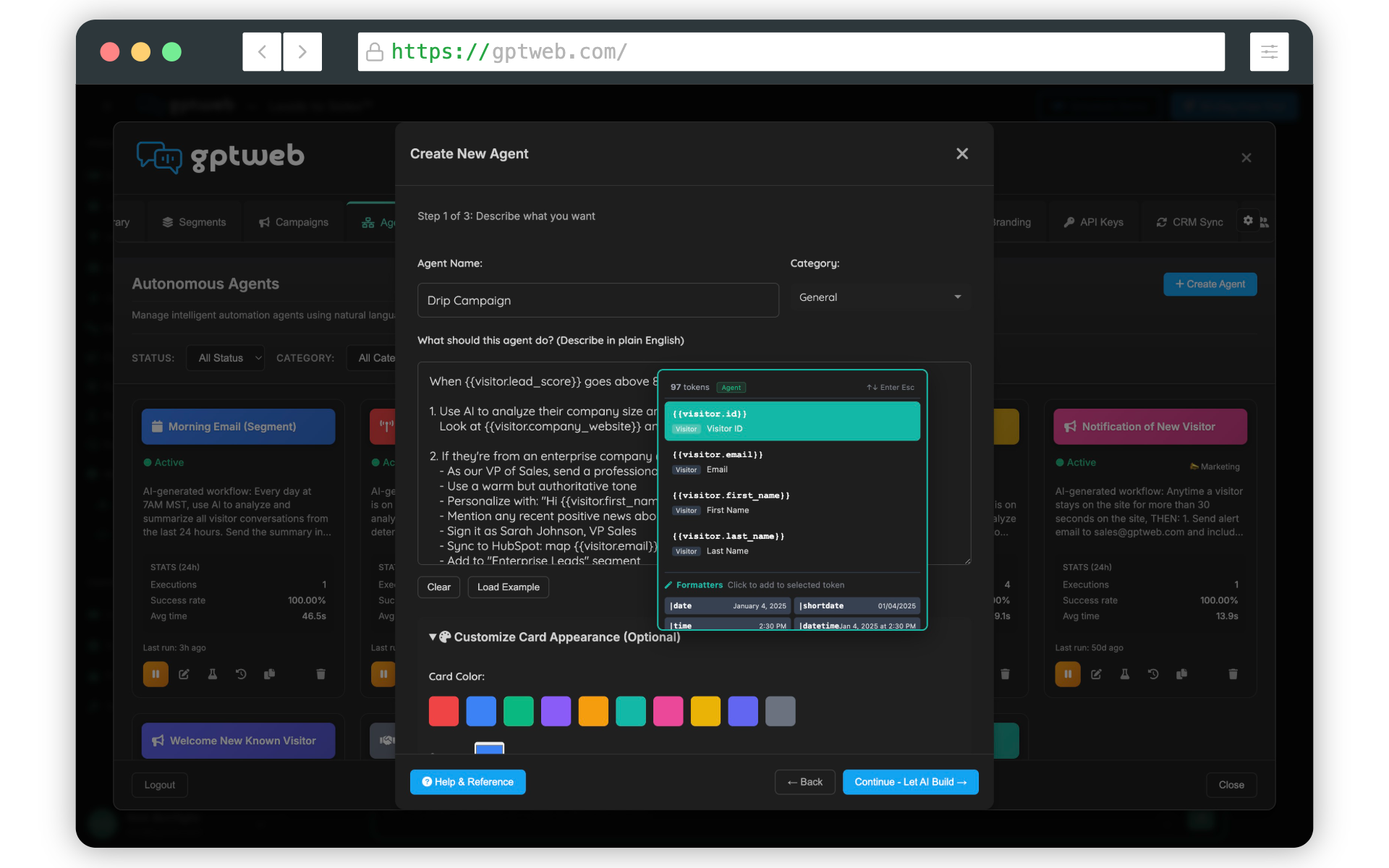
great deep-dive question. GPTWeb Agents are far more powerful than they might appear on the surface. They're AI-powered automations that go well beyond traditional "if-this-then-that" rules — understanding conversation context, making AI-driven decisions, and executing complex multi-step workflows. Here's the complete picture of what's possible across triggers, actions, and constraints.
Trigger Types — What Can Start an Agent
| Trigger | Fires When | Common Use Case |
|---|---|---|
| Score Threshold | AI score crosses a defined value | DQL alerts, hot lead routing |
| DQL Created | Visitor becomes a Discussion Qualified Lead | Sales notification |
| Time on Site | Visitor exceeds a set duration on site | Engagement offers, proactive outreach |
| Page Visit | Specific page is viewed | Content-triggered actions |
| Form Submitted | Any form is completed | Follow-up automation |
| Conversation Event | Specific topic discussed in chat | Intent-based routing |
| Segment Entry | Visitor joins a segment | Targeted campaigns |
| Segment Exit | Visitor leaves a segment | Win-back campaigns |
| CRM Update | Data changes in connected CRM | Sync-triggered actions |
| Schedule | Time-based (daily, weekly, cron) | Reports, cleanup, batch sends |
| Chat PII Captured | Visitor shares email or phone in chat | Welcome emails, sales alerts |
| Webinar Registered | Visitor registers for a webinar | Confirmation emails, nurture drips |
| Webinar Attended | Visitor attends a webinar (webhook) | Thank-you emails, follow-ups |
| Webinar No-Show | Registrant did not attend (webhook) | Re-engagement, reschedule offers |
| Score Change | AI score changes (any movement) | Stage transition workflows |
| Agent Complete | Another agent finishes its workflow | Chained multi-agent orchestration |
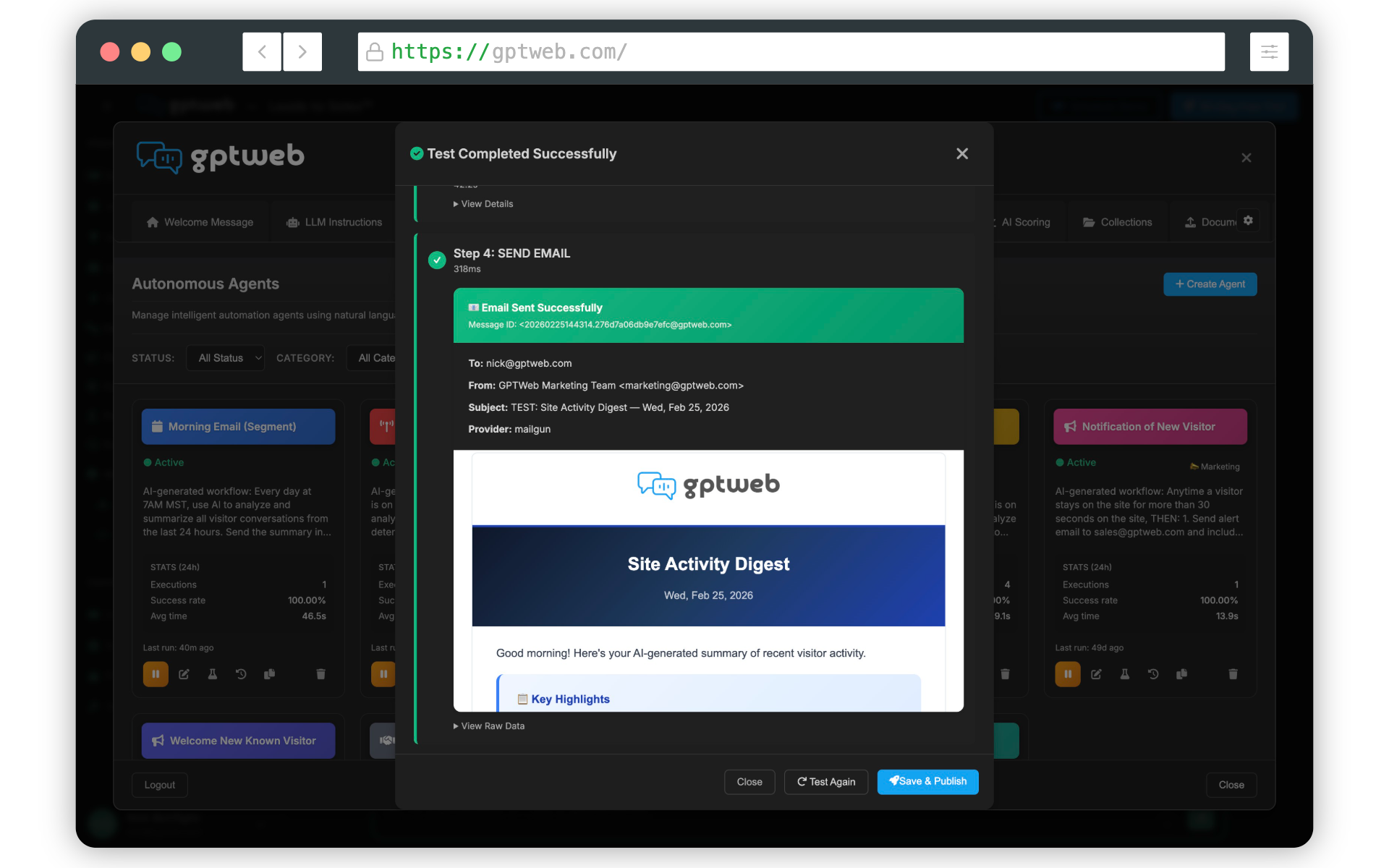
Action Types — What Agents Can DO
| Category | Action | What It Does | Common Use |
|---|---|---|---|
| Messaging | Send Email | Transactional email to any recipient using tokens or templates | Alerts, notifications, nurture |
| Messaging | Schedule Send Email | Send email at a future time | Drip timing, follow-up delays |
| Messaging | Send Internal Alert | Notify a team member internally | Sales handoff, support alerts |
| CRM | Update CRM | Push or pull data to/from connected CRM | Lead enrichment, sync |
| CRM | Create CRM Task | Add a follow-up task for a sales rep | Pipeline management |
| CRM | Create CRM Deal | Start a new opportunity in CRM | Pipeline automation |
| CRM | Update CRM Field | Update a specific CRM property | Field-level data hygiene |
| CRM | Add to List | Add visitor to a CRM static list (HubSpot) | Audience building |
| Visitor | Update Visitor | Change visitor data, tags, or scoring | Tagging, scoring, enrichment |
| Visitor | Add to Segment | Place visitor into a segment | List building, targeting |
| Visitor | Set DQL Status | Mark visitor as Discussion Qualified or disqualify | Lead qualification |
| AI | AI Analysis | Get AI insights or decisions about a visitor | Classification, routing |
| AI | Generate Content | AI-generated personalized content | Dynamic messaging |
| Campaign | Create Campaign | Create a new batch email campaign | Automated campaign launch |
| Campaign | Add Campaign Recipients | Add a segment to a campaign | Audience assignment |
| Campaign | Start Campaign | Begin sending a campaign | Launch automation |
| Campaign | Enroll in Sequence | Start a drip sequence for a visitor | Nurture workflows |
| Flow Control | Delay | Wait before executing the next action | Drip sequences, pacing |
| Flow Control | Condition | Branch workflow based on data | Decision logic, routing |
| Flow Control | Trigger Agent | Chain execution to another agent | Multi-agent orchestration |
| Integration | Webhook | Call an external API | Custom integrations, Zapier-style |
Key Constraints & Parameters
| Constraint / Parameter | Details |
|---|---|
| Agent Creation Method | Natural-language description only — you describe, AI generates the workflow |
| Trigger Selection | Not manually selected from a dropdown — AI infers trigger type from your description |
| Batch vs Single | AI auto-determines based on keywords in your description (e.g., 'When a visitor…' = single; 'Send to all…' = batch) |
| Scheduling | Time expressions in plain English (e.g., 'Every Monday at 9am'); AI converts to cron/schedule automatically |
| Email Templates | Can use token-based templates or inline content; tokens pull live visitor/account data |
| LLM Settings Per Agent | Each agent can override global AI settings: Max Tokens (response length) and Temperature (creativity 0.0–1.0) |
| Multi-Step Actions | Multiple actions execute sequentially in one agent; supports delay, condition branching, and chaining |
| Testing | Two modes: Dry Run (simulated, no real actions) and Live Test (executes with real actions on a test visitor) |
| Activation | Agents run automatically once activated; no manual re-triggering required |
| CRM Compatibility | CRM actions depend on connected CRM (HubSpot, Salesforce, Pipedrive); list actions are HubSpot-specific |
| Webhook | Supports external API calls with custom payloads for any third-party integration |
16+
Trigger Types Available
6
Action Categories
20+
Total Action Types
Unlimited
Agent Chaining
The real power of Agentic Workflow in GPTWeb is that you're never locked into a rigid UI — you describe what you want, the AI builds it, and you review before activating. Combine this with AI Scoring, AI Segmentation, and CRM Sync and you have a complete marketing automation backbone — not just a chat widget. GPTWeb is the future of engagement, websites, and marketing automation combined — built for the AI era, built for now.