
Knowledge Base
Submit Your Website to GPTWeb — Here's How
Great news — submitting your existing website to GPTWeb is done through the built-in Crawler Wizard, which automatically pulls your content in and converts it into a smart, conversational AI knowledge base. No manual copying, no reformatting. Just point GPTWeb at your site and let it do the work.
Steps to Submit Your Website via the Crawler
- Open your **Admin Panel** (Cmd+Ctrl+A on Mac or Ctrl+Alt+A on Windows/Linux)
- Navigate to **App Configuration** in the left-hand menu
- Click on the **KB Tuning and Crawler** sub-section
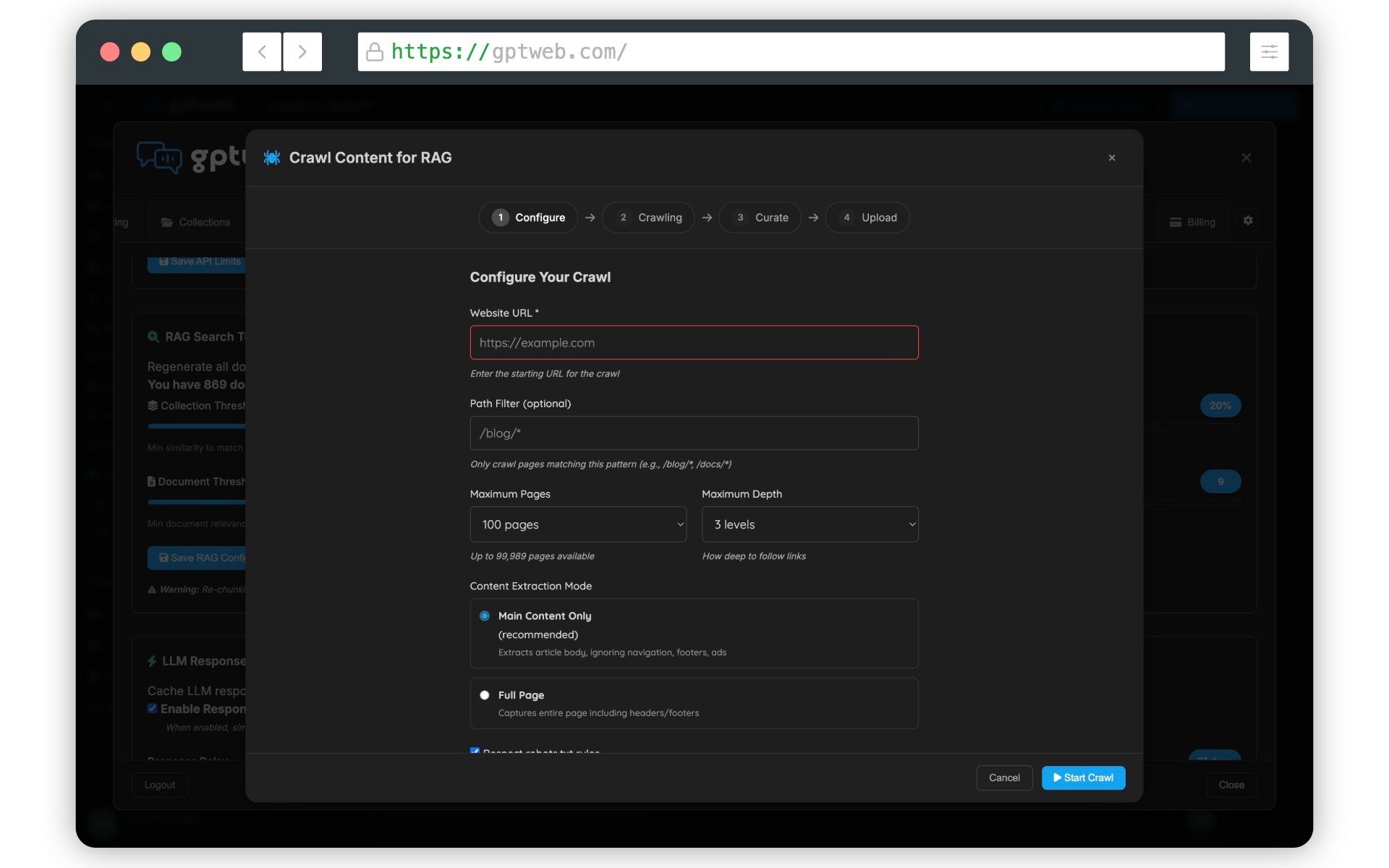
- Click the **Crawl Content** button — this opens the **GPTWeb Crawler Wizard**
- Enter your website URL and set your page crawl limit (start small — try 10-20 pages first)
- Review and confirm crawl settings, then click **Start Crawl**
- GPTWeb will automatically chunk, embed, and index your content for AI-powered semantic search
~5 Min
Setup Time
10-20 Pages
Recommended First Crawl
Yes
Content Auto-Chunked
Auto-Generated
Semantic Embeddings
Pro tips before you crawl:
- Double-check your site URL is correct before starting
- Check that your site does not have
robots.txtrestrictions that could block the crawler - Start with a smaller page limit to validate content quality, then expand
- Once crawled, your content is immediately available to your AI for visitor conversations Need help? Reach the GPTWeb support team at support@gptweb.com or [](gptweb://modal/trial) if you haven't started yet.
GPTWeb is the future of engagement, websites, and marketing automation combined — built for the AI era, built for now.