
Knowledge Base
Campaign Development Process in GPTWeb
here's a concise walkthrough of the full campaign development process in GPTWeb — from creation through targeting, content, and activation.
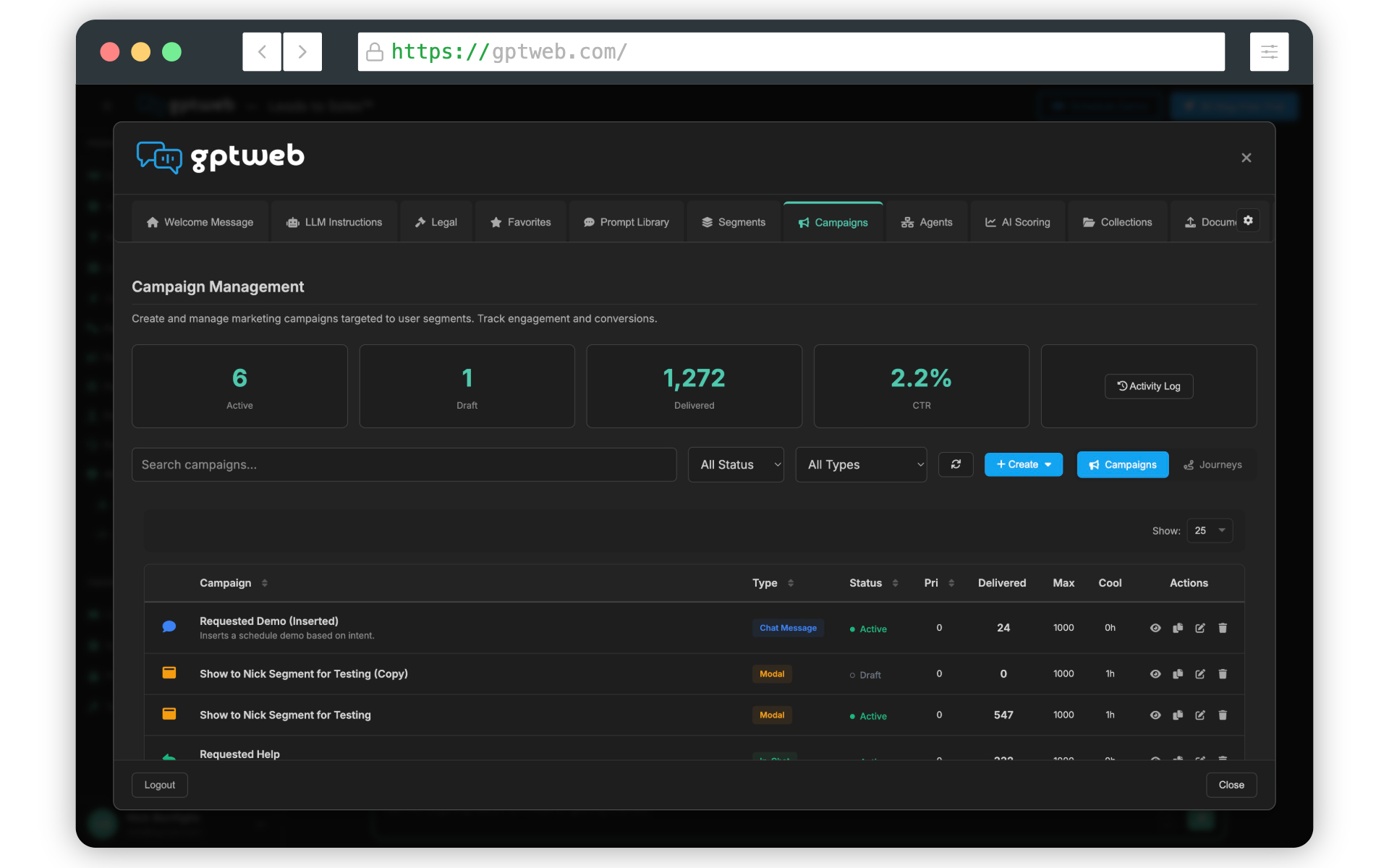
Step 1: Choose Your Campaign Type Start in the Admin Panel under the Campaigns tab. Click + Create Campaign and select your campaign type:
| Campaign Type | Best Use Case | Display Style |
|---|---|---|
| New Chat Message | Proactive outreach, cold engagement | Appears as a new chat bubble |
| In-Chat Message | Contextual offers embedded in AI responses | Inline with conversation |
| Modal Overlay | High-priority offers, demo requests, qualification | Full overlay popup |
| Toaster Notification | Soft engagement, reminders, email capture | Non-intrusive corner toast |
Step 2: General Tab — Basic Setup Configure the campaign's name (internal only), description, type, and status. Keep status as Draft while building — campaigns only go live when set to Active.
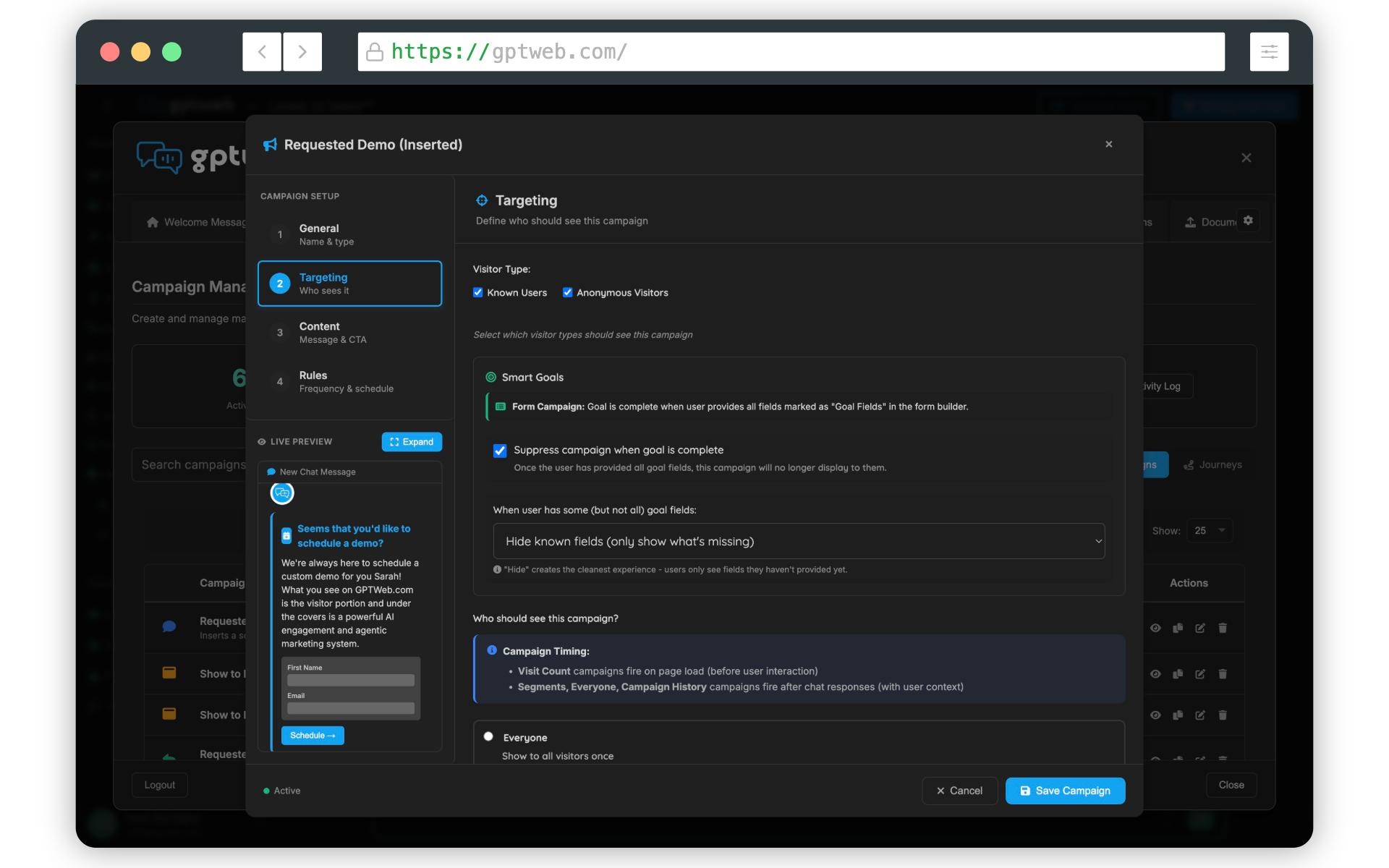
Step 3: Targeting Tab — Who Sees It This is where the intelligence lives. Define visitor types (known vs. anonymous) and configure Smart Goals — which automatically suppress the campaign once its goal is achieved, preventing repeat asks for data you already have.
Step 4: Content Tab — What Visitors See Configure your message, CTA, form fields (if applicable), and any video content. For form campaigns, you can use progressive profiling — collecting one or two fields per campaign interaction rather than overwhelming visitors with long forms. Each form field can be marked as a Goal Field so Smart Goals knows when the campaign objective is complete. Step 5: Rules Tab — Trigger Conditions Set the conditions that trigger your campaign:
| Rule Type | Example | Recommended For |
|---|---|---|
| Time on Site | After 30 seconds | Toasters, email capture |
| Visit Count | 2nd visit or more | Progressive profiling |
| AI Score Threshold | Score > 50 | Qualification modals |
| Segment Membership | High Intent segment | Demo offer campaigns |
| Known/Anonymous | Has email address | Company info collection |
Step 6: Activate and Monitor Set status to Active when ready. Track performance from the Campaigns dashboard — key metrics include Delivered count, Click-Through Rate (CTR target >5%), and conversion to demo (target >2%). Use the Activity Log for real-time delivery insight. Pro Tip — Campaign Journeys (v5.2.8+): Instead of standalone campaigns, use Journey templates to create multi-step sequences. GPTWeb includes four pre-built templates: Lead Qualification, Onboarding, Re-engagement, and Upsell Journey.
4 Types
Campaign Types
> 5%
Target CTR
> 2%
Target Demo Conversion
4 Pre-built
Journey Templates
For a deeper dive, explore AI Campaigns, AI Segmentation, and Agentic Workflow to connect your campaigns to automated follow-up sequences and CRM sync for HubSpot. GPTWeb is the future of engagement — websites and marketing automation combined, built for the AI era, built for now.