
Knowledge Base
Creating Your First Campaign in GPTWeb: Toaster + Anonymous Visitor Targeting
Hi, Welcome back! Great question — setting up your first AI Campaign in GPTWeb is straightforward. Here's a step-by-step walkthrough for launching a Toaster-type campaign targeting anonymous first-time visitors based on recency.
Campaign Creation Flow: Toaster + Anonymous First Visit
Step-by-Step Tutorial
- **Step 1 — Navigate to Campaigns:** From your GPTWeb dashboard, go to the Campaigns section in the left nav.
- **Step 2 — Create New Campaign:** Click the '+ New Campaign' button to open the campaign builder.
- **Step 3 — Name & Describe:** Give your campaign a clear name (e.g., 'Welcome Anonymous - First Visit Toaster') so it's easy to identify.
- **Step 4 — Select Type: Toaster:** In the campaign type selector, choose **Toaster**. This renders a non-intrusive notification-style widget at the corner of the screen.
- **Step 5 — Design Your Toaster:** Write a short, compelling headline and body message. Add a CTA button (e.g., 'Learn More' or 'Start Free Trial') with a link or prompt action.
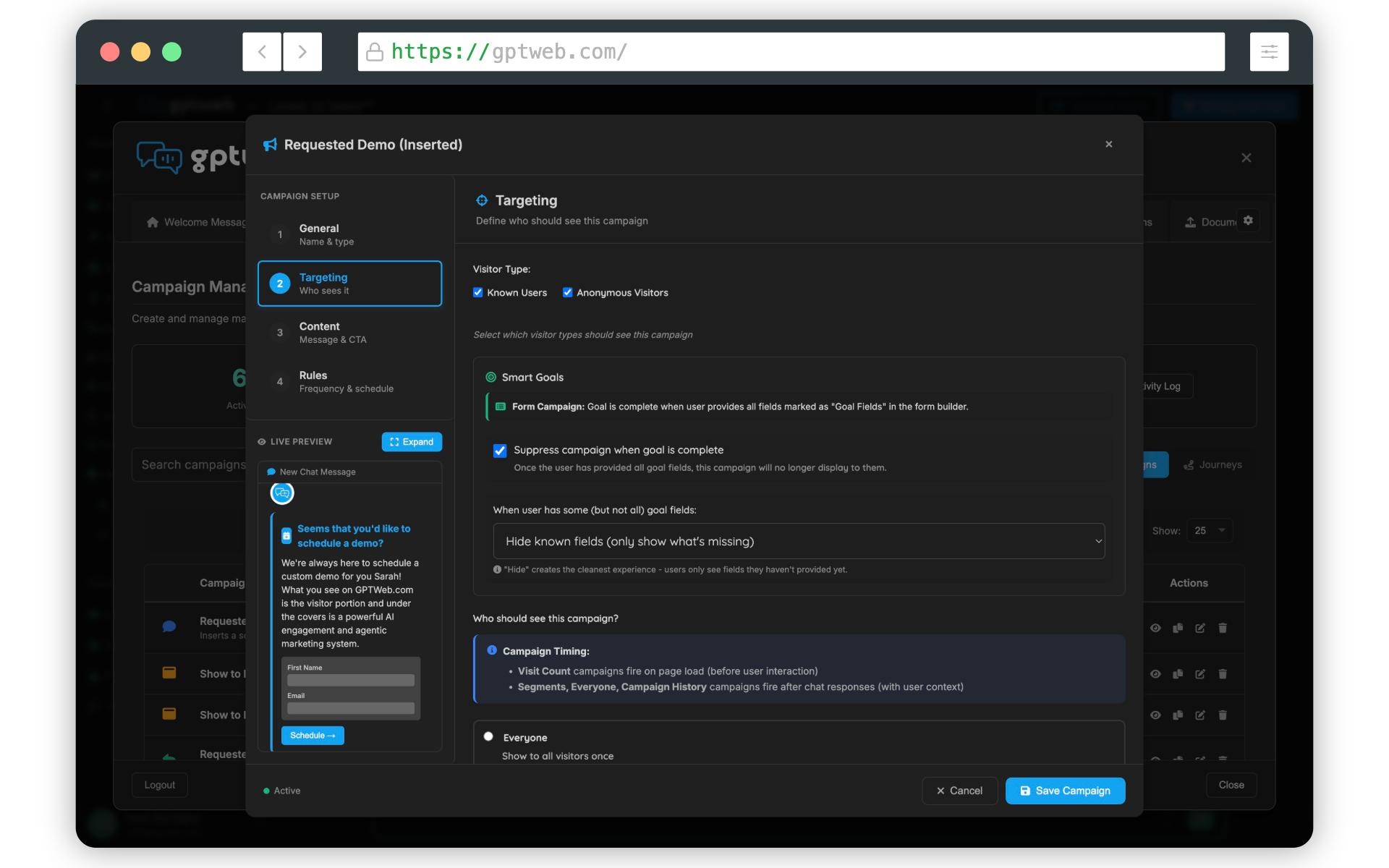
- **Step 6 — Configure Targeting:** Open the Targeting panel. Set Visitor Type to **Anonymous** to ensure only unidentified visitors see this campaign.
- **Step 7 — Set Recency Rule:** Under recency, select **First Visit** and define the recency window (e.g., visitor is on their first session, or visited within the last 1 day). This ensures the toaster fires only on fresh first-time visitors.
- **Step 8 — Set Display Frequency:** Configure how often the toaster can show per session (recommended: once per session for anonymous users).
- **Step 9 — Review & Activate:** Preview the campaign, confirm all targeting rules, and toggle the campaign to **Active**.
12–18%
Avg Toaster Engagement Rate
Up to 3x
Anonymous-to-Known Conversion
~65% of DQLs
First Visit DQL Capture
< 5 min
Setup Time
Once your campaign is live, GPTWeb's AI Scoring and AI Segmentation engines will automatically track engagement, and as anonymous visitors interact, they'll begin generating Discussion Qualified Leads (DQLs) — moving from unknown to known in your pipeline. You can monitor live performance via Live Visitor View and pipe identified leads directly via CRM Sync.
Ready to go deeper? Check out Getting Started for more setup guidance, or [](gptweb://modal/trial) to build your first campaign live today. 🚀 GPTWeb is the future of engagement, websites, and marketing automation combined — built for the AI era, built for now.