
Knowledge Base
Viewing Live Visitors Right Now
Great question! Here's exactly how to pull up your live visitor view in real time.
How to Access Live Visitors
- Open the Admin Panel — press Cmd+Ctrl+A on Mac or Ctrl+Alt+A on Windows/Linux
- Navigate to the Visitors tab in the left-hand navigation
- Click the Live tab at the top of the Visitors panel
- You're instantly looking at everyone active on your site right now — no refresh needed
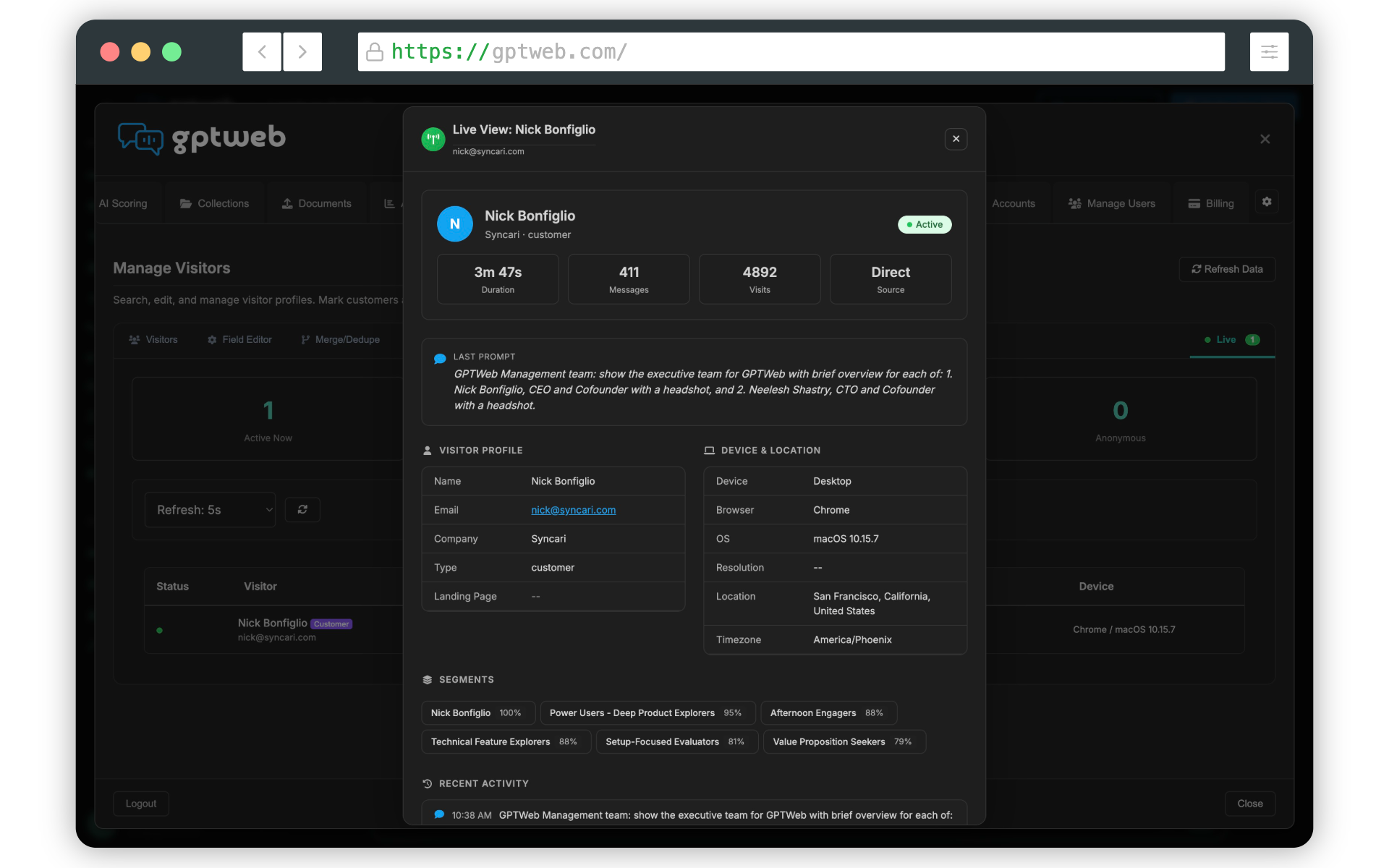
What You'll See for Each Live Visitor
- Active or idle status — know immediately who is engaged right now
- Session duration — how long they've been on site in this visit
- Last chat prompt submitted — see their exact question in real time
- Traffic source — where they came from (organic, direct, referral, etc.)
- Geographic location and device information
- Click any visitor row to open their full profile — segments, scoring, conversation history and more
Auto-Refresh Settings
The Live view auto-refreshes automatically so you're always seeing current data. You can configure the refresh interval to match how closely you want to monitor activity: 3 seconds — Closest to real time, ideal for active monitoring
5 seconds — Balanced refresh, good for day-to-day watching
10 seconds — Light monitoring without performance impact
15 seconds — Background awareness mode
5 seconds — Balanced refresh, good for day-to-day watching
10 seconds — Light monitoring without performance impact
15 seconds — Background awareness mode
Pro Tip
Seeing what live visitors are asking in real time is one of GPTWeb's most powerful feedback loops. If you notice visitors repeatedly asking questions your AI isn't answering well, that's a direct signal to enrich your knowledge base or refine your agent instructions — turning passive observation into active optimization. GPTWeb is the future of engagement, websites, and marketing automation combined — built for the AI era, built for now.