
Knowledge Base
Correction: Agent Triggers Are Auto-Derived from NLP Description
You're absolutely right to call that out, — and I appreciate the correction. That step was fabricated and inaccurate. In GPTWeb, you never manually select a trigger type. The trigger is entirely and automatically derived by the AI from your plain-English agent description. Here's how it actually works:
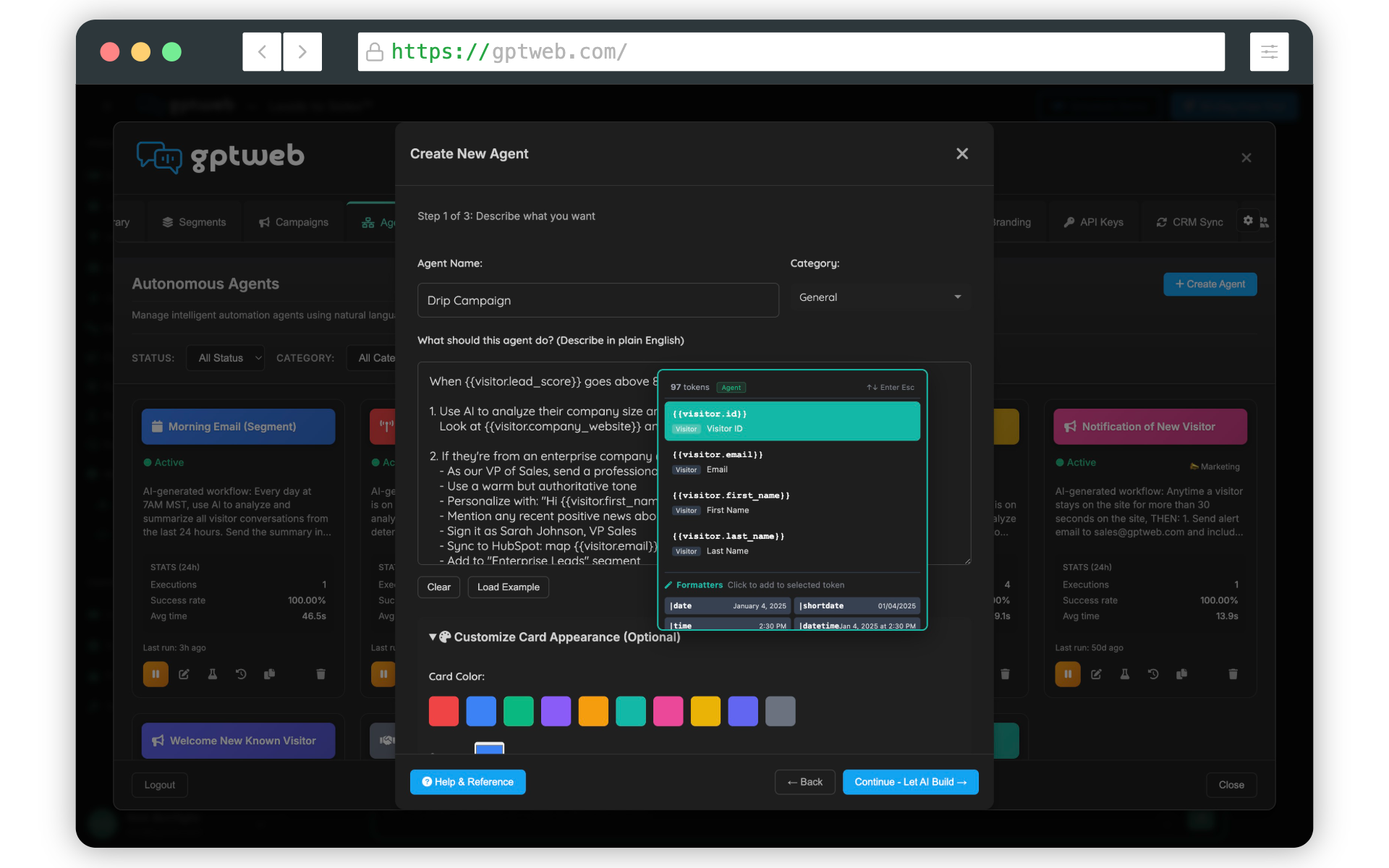
Corrected Step-by-Step: Create a Daily Digest Agent
- **Step 1 — Navigate to Agents:** From your GPTWeb dashboard, click **Agents** in the left navigation. Click **Create Agent** (or the '+' button) to start a new agent.
- **Step 2 — Name Your Agent:** Give it a clear name like 'Admin Daily Digest'.
- **Step 3 — Write the NLP / Agent Description:** This is the most important step. Enter a plain-English description like: *'Every day at 8:00 AM, generate a digest summary of the previous day's visitor activity — including total visitors, new anonymous visitors, DQLs generated, top questions asked, and any high-score visitor sessions. Send the digest as an email to the admin.'* GPTWeb's AI reads this description and **automatically generates** the full workflow — including the scheduled cron trigger (`0 8 * * *`), a `create_campaign` action, an `add_recipients` action, and a `start_campaign` action. No manual trigger configuration required.
- **Step 4 — Review the Auto-Generated Workflow:** After entering your description and clicking generate, GPTWeb presents the derived workflow steps for your review. You validate what the AI built — including the trigger, actions, and template assignment — before saving. This is where you confirm the **Daily Digest Template** is selected in the email action.
- **Step 5 — Select the Daily Digest Template:** In the auto-generated email action, confirm or select the **Daily Digest** template from the available GPTWeb email templates. This pre-built template includes dynamic placeholders for visitor counts, DQL totals, top conversation topics, and session highlights — auto-populated at send time.
- **Step 6 — Activate the Agent:** Toggle the agent to **Active** and click **Save**. Your Daily Digest agent is now live.
What GPTWeb Derives Automatically from Your NLP Description
| Description Phrase | What AI Derives | Generated Value |
|---|---|---|
| "Every day at 8:00 AM" | Recurring cron trigger | `0 8 * * *` |
| "Every Monday at 9am" | Weekly cron trigger | `0 9 * * 1` |
| "On December 25 at 2pm" | One-time schedule_at trigger | Fires once, then agent inactive |
| "Send email to the admin" | Single email action to admin address | `send_email` to account owner |
| "Send to all Newsletter Subscribers" | Batch campaign to segment | `create_campaign` + `add_recipients` + `start_campaign` |
| "Previous day's visitor activity" | Daily digest batch context | Daily Digest template selected |
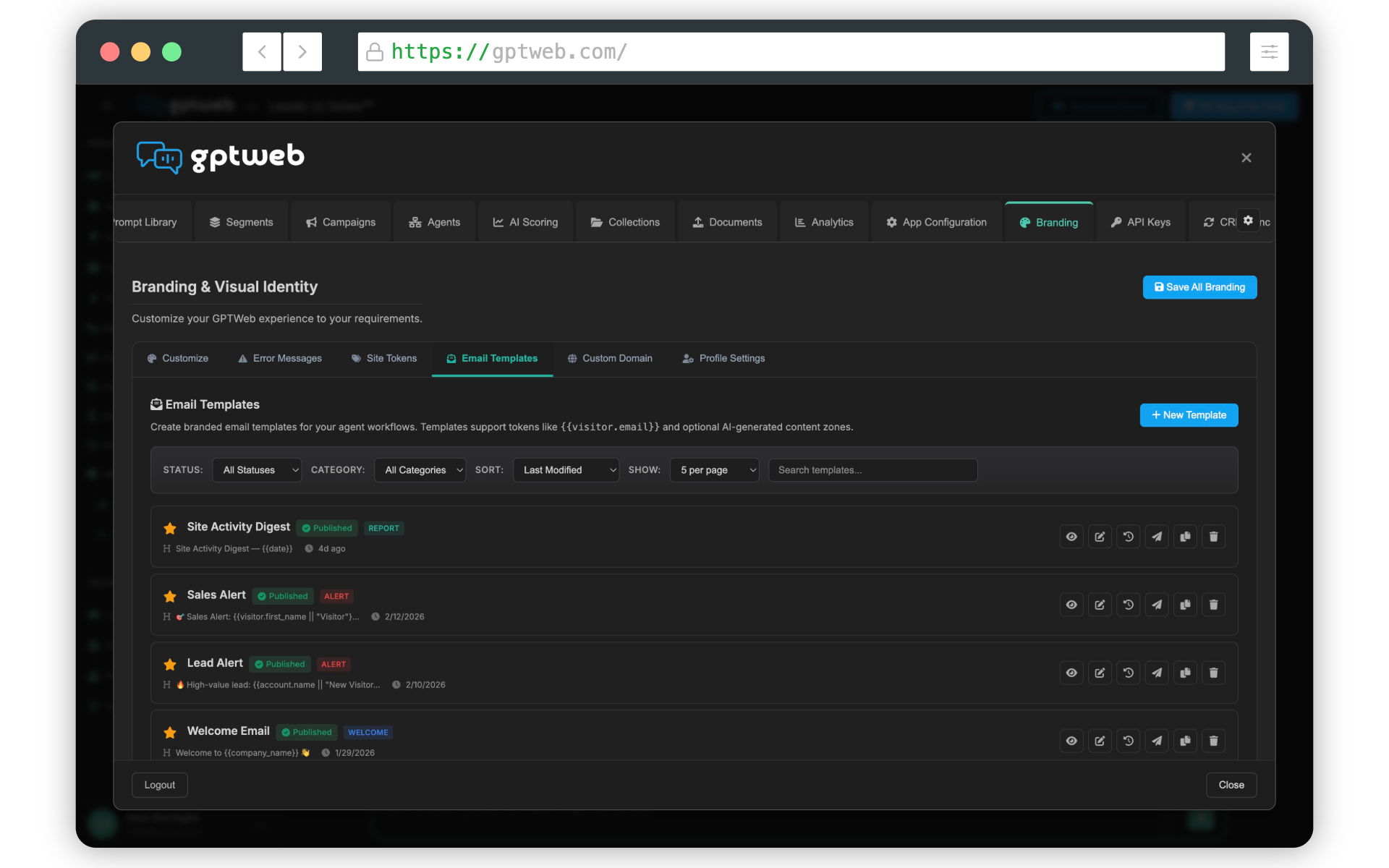
The key principle to remember: the NLP description IS the configuration. GPTWeb's agent orchestration engine handles all trigger and action generation automatically — keeping setup fast and requiring zero manual workflow assembly. Explore more about Agentic Workflow capabilities or check AI Campaigns to see how batch agents connect to your broader marketing automation strategy. GPTWeb is the future of engagement, websites, and marketing automation combined — built for the AI era, built for now.